> For the complete documentation index, see [llms.txt](https://docs.vocu.ai/llms.txt). Markdown versions of documentation pages are available by appending `.md` to page URLs; this page is available as [Markdown](https://docs.vocu.ai/zh/generate/projects.md).
# 项目管理
在此处了解便于语音制作的项目管理功能
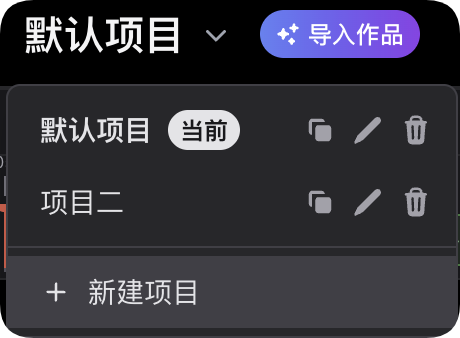
项目管理功能是我们为了便于您在使用过程中灵活储存与切换多个不同的内容项目而无需清空编辑器的设计,您可根据需要创建项目,单个项目内的编辑器内容独立,不会影响到其他项目的内容。
需要建立项目时,您可点击项目文字即可调出项目列表,新建项目后,点击对应文字即可切换项目。项目支持复制、编辑名称及删除。
**项目配置**
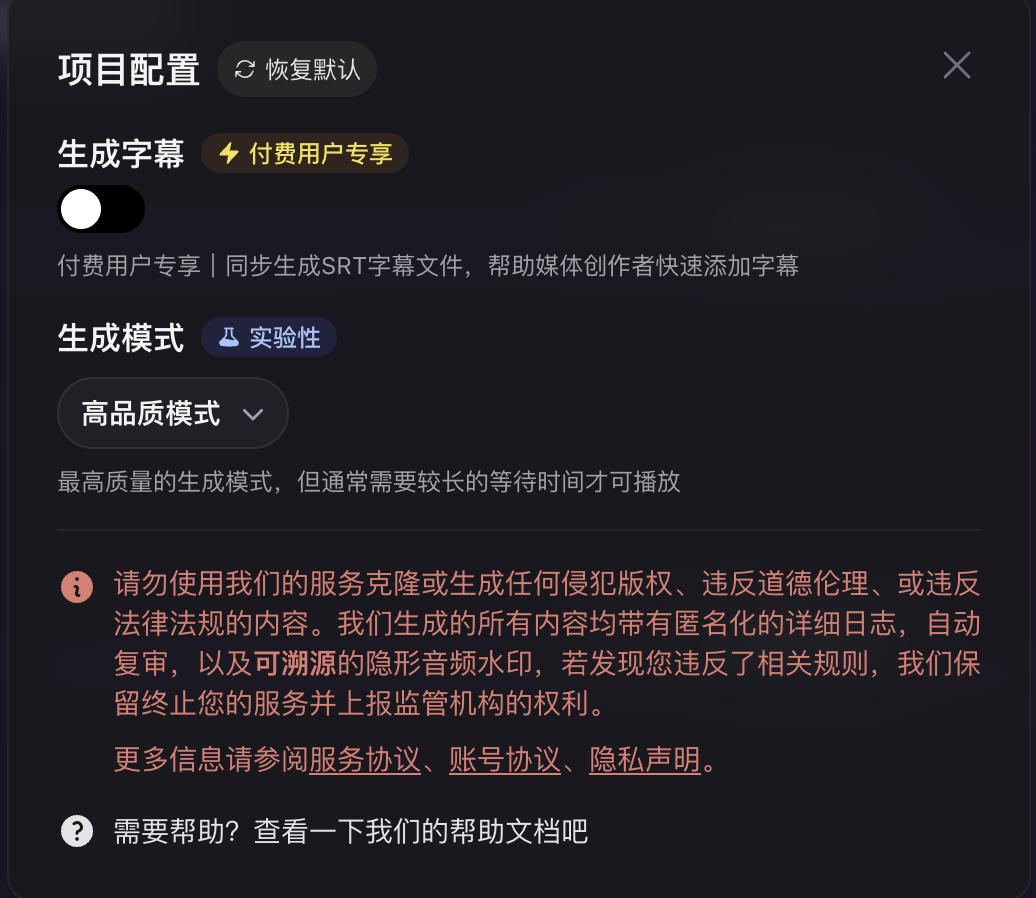
项目配置是针对每个项目工程的独立功能设置,目前提供字幕文件及生成模式的配置选项。
生成字幕功能开关在开启后可在创建生成任务时同步生成 srt 字幕文件,字幕文件将记录音频和文字的对应时间轴关系,在后期编辑时用于导入字幕。此功能在经过任意付费后自动解锁。\
\
生成模式为实验性功能,用于调整项目工程在生成时的处理策略。高品质模式通过增加推理时间来提高音频质量,提供最佳的语音输出效果。低延迟模式通过优化推理策略及重新编码数据流,加快了音频输出的速度,便于快速试听和获取音频流。
{% hint style="info" %}
我们已经为编辑器实现了云端记录同步,您的编辑器操作和相关的项目设置均会在修改时自动保存于您的账号云端,可跨设备同步,且不会丢失。
{% endhint %}