> For the complete documentation index, see [llms.txt](https://docs.vocu.ai/llms.txt). Markdown versions of documentation pages are available by appending `.md` to page URLs; this page is available as [Markdown](https://docs.vocu.ai/zh/generate/queue.md).
# 任务队列
在此处了解您可以如何管理所有当前或者历史任务
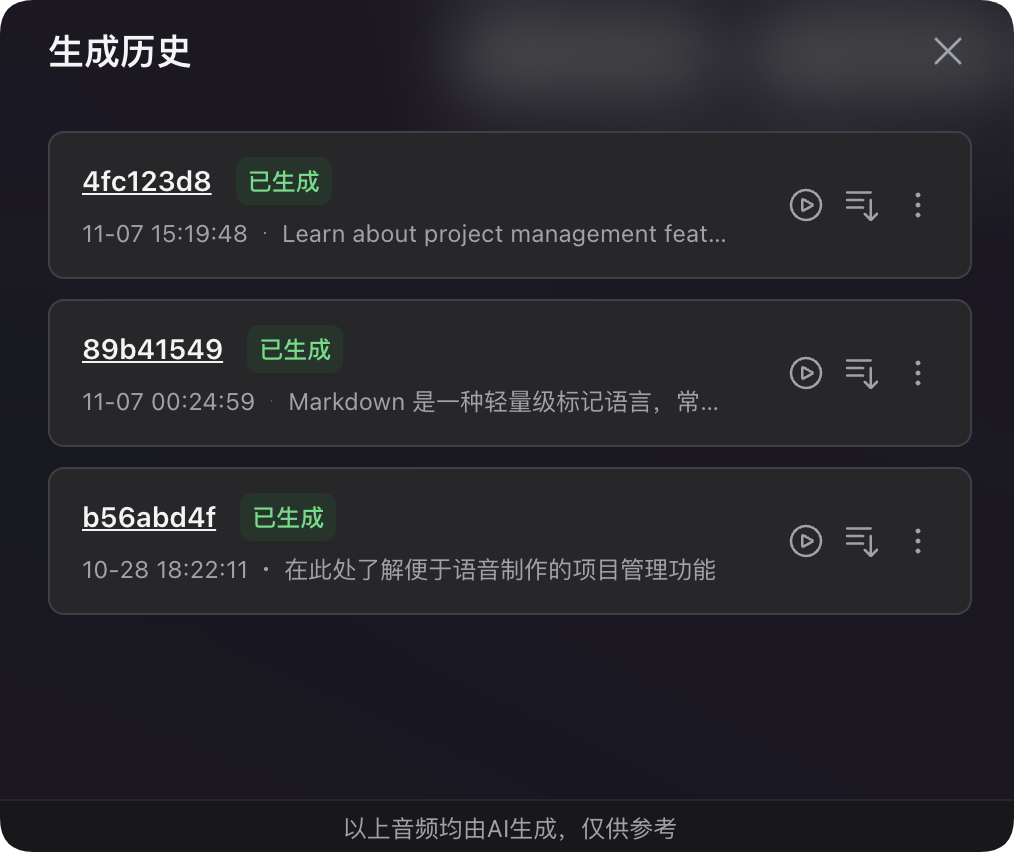
通过点击下方工具栏的时钟图标,您可以打开生成历史弹窗。

您可以在此处查看并管理您正在进行中的生成任务,以及所有历史任务的状态。任务的状态将实时更新,您无需手动刷新。生成历史将会展示所有进行过的任务,并且您的最新任务将出现在列表最上方。
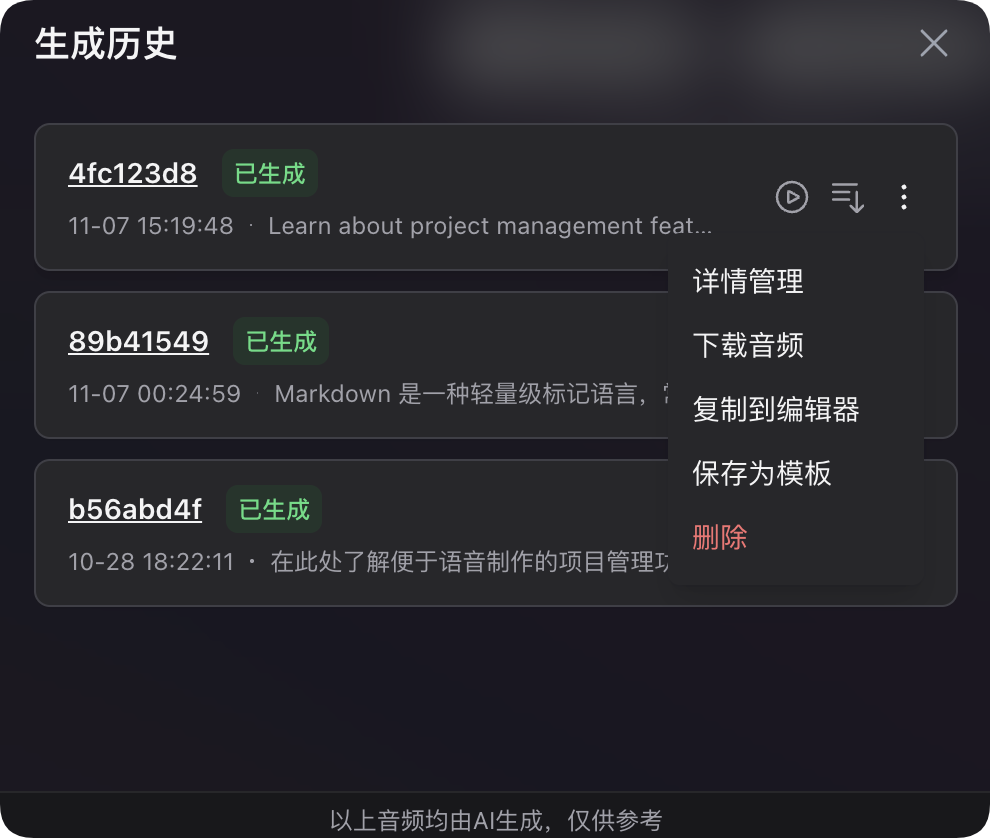
您可以点击查看列表中[每个任务的详情](/zh/generate/task-detail.md),播放每个任务的最终生成结果(如果有),或在每个任务的下拉菜单中快速进行音频下载、复制到编辑器、重新生成所有内容、删除任务历史等操作。
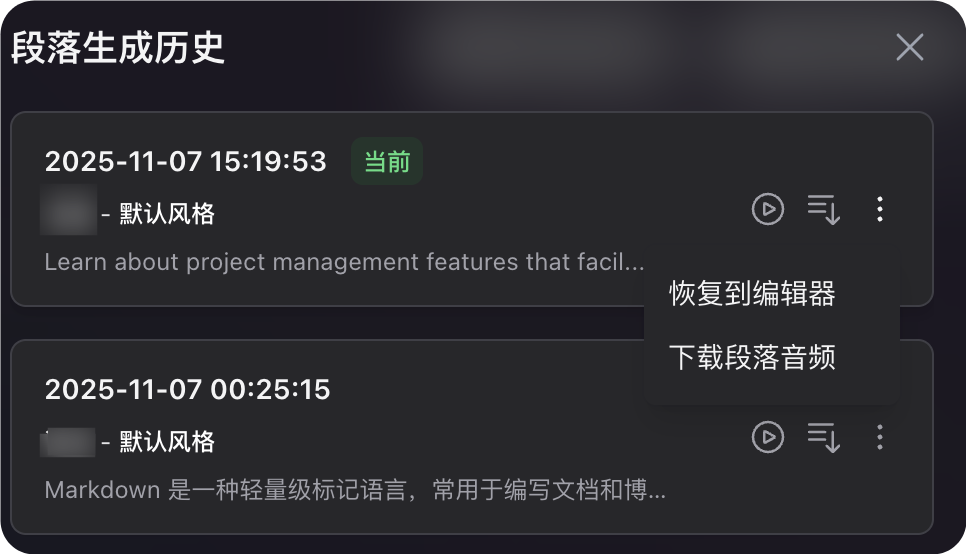
现在,在单个段落当中也拥有可独立查看的生成历史,点击段落中的时钟图标即可打开弹窗,可以比较每次生成的不同音频,找到最佳表现的历史生成结果,并将其恢复到编辑器的对应段落中。
{% hint style="info" %}
当项目已开始生成时,无法重复提交生成,您需要等待生成完毕或失败后再试。提交重新生成,系统将按照任务内容的字符数对您进行计费,并额外统计至任务详情的**用量**一栏。(仅对创建了生成任务的部分计费)
{% endhint %}
{% hint style="warning" %}
您无法删除一个正在进行中的任务,请等待其执行完毕后再对其进行删除操作
{% endhint %}